
How to Replace a Thermal Print Head: Step-by-Step Guide
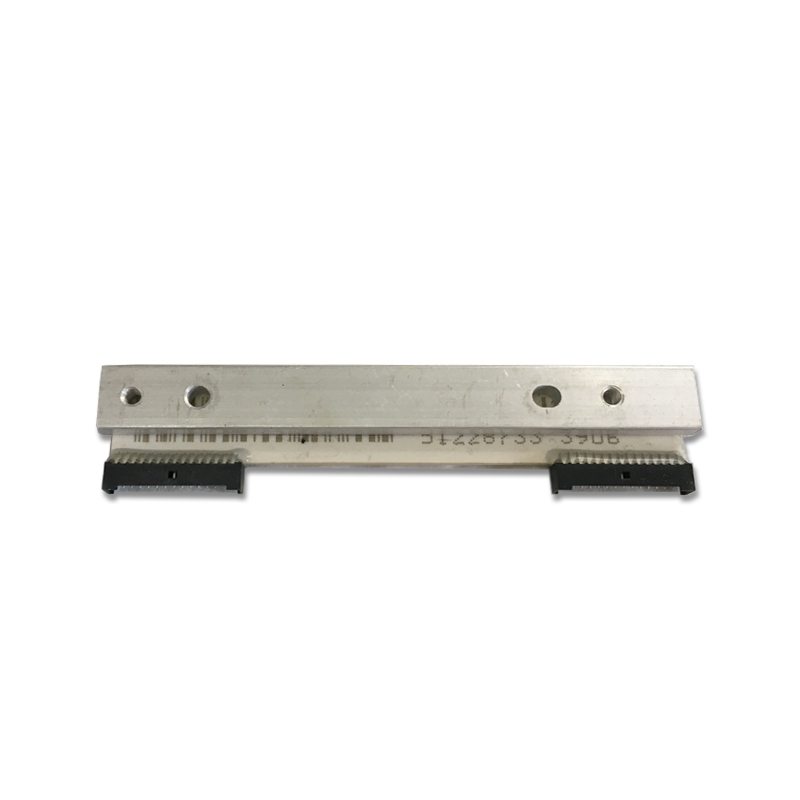
Thermal print heads are the most commonly replaced component in POS receipt printers. Over time, the heating elements wear down, leading to faded prints, streaks, or blank sections on receipts. Knowing how to properly replace a thermal print head can save your business significant downtime and repair costs.
Before starting, ensure you have the correct replacement print head for your printer model. Common models include the Epson TM-T88V, Star TSP100, Citizen CT-S310II, and Toshiba TCx 6145. Each printer uses a specific print head — using an incompatible part can damage your equipment.
Step 1: Power off the printer and disconnect all cables. Allow the print head to cool for at least 15 minutes if the printer was recently in use. Thermal print heads operate at high temperatures and can cause burns.
Step 2: Open the printer cover and locate the print head assembly. On most receipt printers, the print head is held in place by a locking lever or screws. Carefully release the mechanism and gently disconnect the ribbon cable that connects the print head to the mainboard.
Step 3: Remove the old print head and clean the mounting area with isopropyl alcohol. Check the platen roller for wear — if the roller shows signs of damage, it should be replaced at the same time for optimal print quality.
Step 4: Install the new print head by connecting the ribbon cable first, then seating the head into the mounting bracket. Secure with the locking lever or screws. Do not overtighten screws as this can misalign the print head.
Step 5: Run a self-test print to verify the new print head is working correctly. Most POS printers have a self-test function accessible by holding the feed button while powering on. Check for even print density across the full width of the receipt.
Pro tip: Always purchase thermal print heads from a reputable supplier who guarantees Genuine original quality. Low-quality print heads may save money upfront but typically have shorter lifespans and can produce inconsistent print quality. At WenShin Technology, all our thermal print heads are individually tested before shipping and come with a 90-day warranty.
Need the parts mentioned in this article?
Browse our catalog or contact our technical team for help finding the right component.